The TP-Link Tri-Band BE9700 WiFi 7 Router review centers on the Archer BE600’s blend of a 6 GHz band, multi-gigabit ports, and home network features.
It is designed for households with newer Wi-Fi 7 devices and several wired or wireless demands to manage.
Archer BE600 Review Summary
The quick verdict
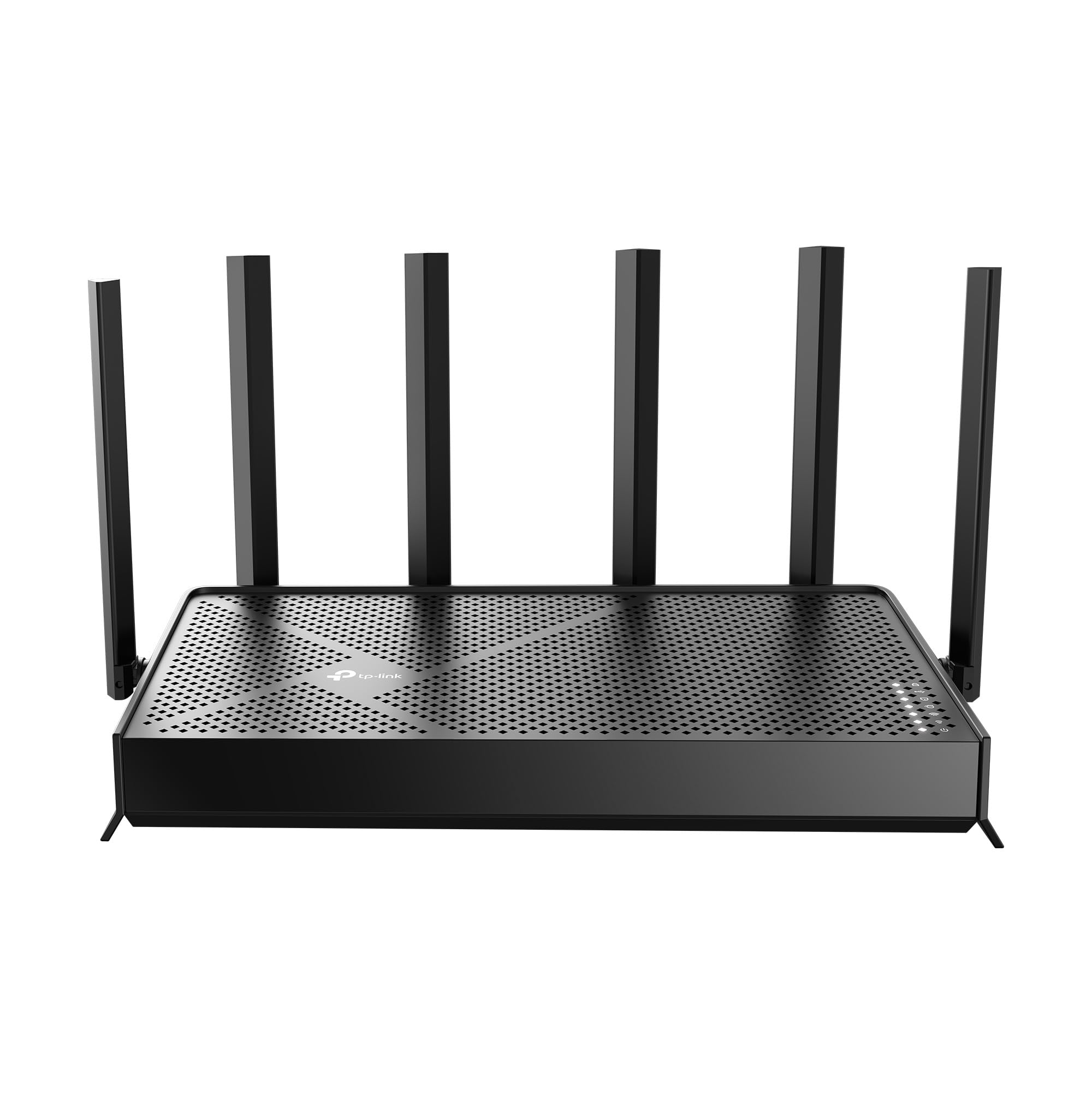
600+ ratings
Read Amazon ReviewsTP-Link Archer BE600
A fit for larger, device-heavy homes seeking tri-band Wi-Fi 7, 6 GHz access, and several multi-gig wired connections.
- Tri-band Wi-Fi 7 with seven streams and maximum listed rates of up to 5,765 Mbps on 6 GHz, 2,882 Mbps on 5 GHz, and 1,032 Mbps on 2.4 GHz.
- Wi-Fi 7 features include Multi-Link Operation, Multi-RUs, 4K-QAM, and channel widths up to 320 MHz.
- Six antennas and beamforming support a stated coverage area of up to 2,600 square feet and up to 120 devices.
- Wired ports include one 10 Gbps WAN/LAN port, one 2.5 Gbps WAN/LAN port, and three 2.5 Gbps LAN ports.

Pros
- A dedicated 6 GHz band and several Wi-Fi 7 capabilities give compatible devices room to use newer wireless standards.
- Five multi-gigabit ports offer more flexibility than a router with only a single faster WAN connection.
Consider before buying
- To benefit from Wi-Fi 7 features and the 6 GHz band, household devices need compatible wireless hardware.
- The router’s stated coverage and maximum wireless rates are not guarantees for every floor plan, distance, or interference environment.
Read the full review summary
The Archer BE600 is a seven-stream tri-band Wi-Fi 7 router with claimed maximum wireless rates of 5,765 Mbps on 6 GHz, 2,882 Mbps on 5 GHz, and 1,032 Mbps on 2.4 GHz.
Its six antennas, beamforming, and stated coverage of up to 2,600 square feet make it a candidate for a larger home, though actual coverage depends on the layout and obstacles.
Its wired setup stands out for homes with multi-gig internet or local devices: one 10 Gbps WAN/LAN port, one 2.5 Gbps WAN/LAN port, and three 2.5 Gbps LAN ports.
Wi-Fi 7 functions, HomeShield, VPN client and server support, and app or web setup broaden its appeal, but buyers should have a clear use for the premium capacity and check that their devices and internet plan can take advantage of it.
The buying factors
Archer BE600 Scorecard
Editorial scores reflect listed features and buyer fit; they are not laboratory measurements or customer ratings.
Wi-Fi 7 feature set
Tri-band operation includes 6 GHz and supports Multi-Link Operation, Multi-RUs, 4K-QAM, and channels up to 320 MHz.
Wireless capacity
The listed maximum rates are substantial across all three bands, with real-world throughput depending on devices and conditions.
Wired flexibility
A 10 Gbps port and four additional multi-gig ports offer useful options for a multi-gig network and wired devices.
Home coverage potential
Six antennas and beamforming are paired with a claimed coverage area of up to 2,600 square feet, but home layout can change results.
Network management
Setup and management are available through the Tether app or web interface, with HomeShield features and VPN support.
Value for typical households
The capabilities suit advanced or growing networks; households with basic broadband and older devices may not use much of the added capacity.
Key Features and Specifications of Archer BE600
- Tri-band Wi-Fi 7 with seven streams and maximum listed rates of up to 5,765 Mbps on 6 GHz, 2,882 Mbps on 5 GHz, and 1,032 Mbps on 2.4 GHz.
- Wi-Fi 7 features include Multi-Link Operation, Multi-RUs, 4K-QAM, and channel widths up to 320 MHz.
- Six antennas and beamforming support a stated coverage area of up to 2,600 square feet and up to 120 devices.
- Wired ports include one 10 Gbps WAN/LAN port, one 2.5 Gbps WAN/LAN port, and three 2.5 Gbps LAN ports.
- HomeShield includes network protection, parental controls, and IoT security features.
- VPN client and server support, plus configuration through the Tether app or a web interface.
Pros and Cons of Archer BE600
Pros
- A dedicated 6 GHz band and several Wi-Fi 7 capabilities give compatible devices room to use newer wireless standards.
- Five multi-gigabit ports offer more flexibility than a router with only a single faster WAN connection.
- HomeShield and VPN options add network management and remote-access tools in one device.
- The six-antenna design and stated coverage make it worth considering for larger homes with many connected devices.
Consider before buying
- To benefit from Wi-Fi 7 features and the 6 GHz band, household devices need compatible wireless hardware.
- The router’s stated coverage and maximum wireless rates are not guarantees for every floor plan, distance, or interference environment.
- The wired capacity may be excessive if your internet service and local network devices use only standard gigabit connections.
Who Should Buy Archer BE600?
Good fit
Consider the Archer BE600 if you are building a multi-gig home network and want both fast wired connections and tri-band Wi-Fi 7.
The 10 Gbps WAN/LAN port and four 2.5 Gbps ports give you room to connect compatible modem, computer, storage, or other wired equipment, subject to the ports and speeds those devices support.
It also makes sense for a household adding Wi-Fi 7 laptops, phones, or other compatible devices.
The 6 GHz band, Multi-Link Operation, Multi-RUs, and 4K-QAM are the features to weigh if you expect newer clients to be a meaningful part of your network rather than a future possibility.
Before buying, compare the router’s coverage claim with your home’s layout and placement options.
If you rely on VPN or parental controls, review the available configuration and feature details for your specific needs; the product description identifies support for these functions but does not spell out every setting.
Who should skip it
Skip this model if your current internet service is modest, your devices are mostly older Wi-Fi generations, and you do not need multi-gig wired connections. In that setup, much of the BE600’s capacity may go unused.
If a single router must cover a complex layout with distant rooms, do not treat the stated square-footage figure as a guarantee. Consider your home’s walls, floors, router placement, and whether you may need a separate coverage solution.
What the Archer BE600’s Wi-Fi 7 design means for your home
Three bands and newer Wi-Fi clients
The BE600’s tri-band design combines 2.4 GHz, 5 GHz, and 6 GHz, while Wi-Fi 7 features include Multi-Link Operation, Multi-RUs, 4K-QAM, and channel widths up to 320 MHz.
These features are most relevant when clients support them; a mix of older and newer devices will not make every connection operate at the same maximum rate.
Multi-gig ports for a wired network
The port mix is unusually useful for a household connecting several high-speed wired devices: a 10 Gbps WAN/LAN port sits alongside a 2.5 Gbps WAN/LAN port and three 2.5 Gbps LAN ports.
Check the speed of your modem, internet service, and wired clients before choosing which connections matter, since a faster port cannot raise the limits of slower equipment.
Coverage claims and real home layouts
Six antennas and beamforming are intended to direct wireless signals toward devices, and the stated coverage is up to 2,600 square feet for as many as 120 devices.
Treat those figures as design targets rather than a promise for every home: floor plan, wall materials, router placement, and client devices all affect the result.
Security, VPN, and everyday management
The router can be managed through TP-Link’s Tether app or a web interface.
HomeShield includes network protection, parental controls, and IoT security, while VPN client and server support provides options for connecting network devices to remote VPN services; buyers with specific requirements should check which features and settings fit their setup.
Alternatives to Archer BE600
Computer Routers alternative
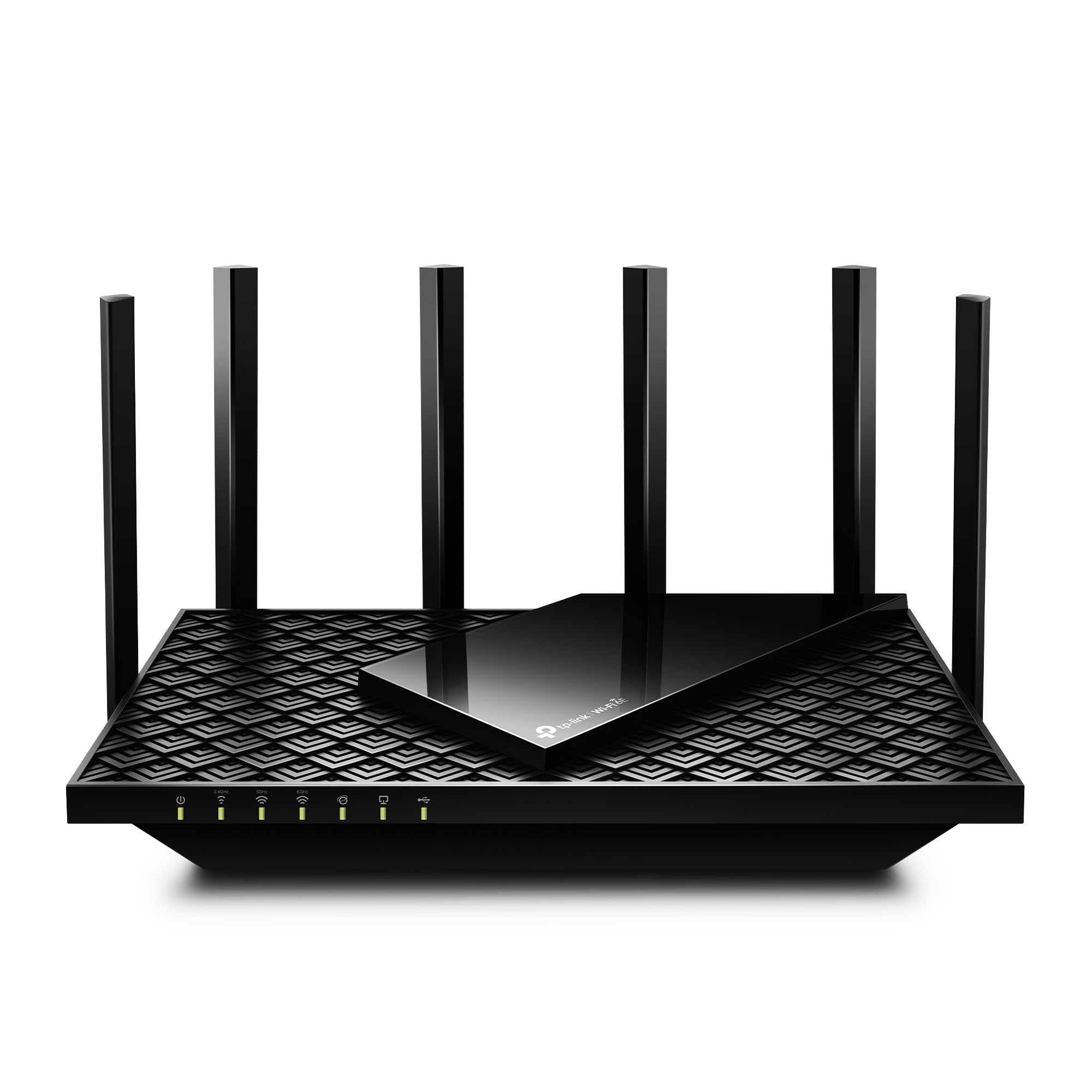
5,000+ ratings
Read Amazon ReviewsTP-Link Archer AXE75
Choose the BE600 if Wi-Fi 7 features and multiple multi-gig wired connections are priorities. The AXE75 is a better fit to compare if Wi-Fi 6E meets your needs and you want the option to build a OneMesh network.
- The Archer AXE75 is a tri-band Wi-Fi 6E router with a 2.5 Gbps WAN port, a 6 GHz band, and OneMesh support with a compatible extender.
- The Archer BE600 pairs Wi-Fi 7 and a 6 GHz band with a 10 Gbps port and four additional multi-gig ports.
Computer Routers alternative
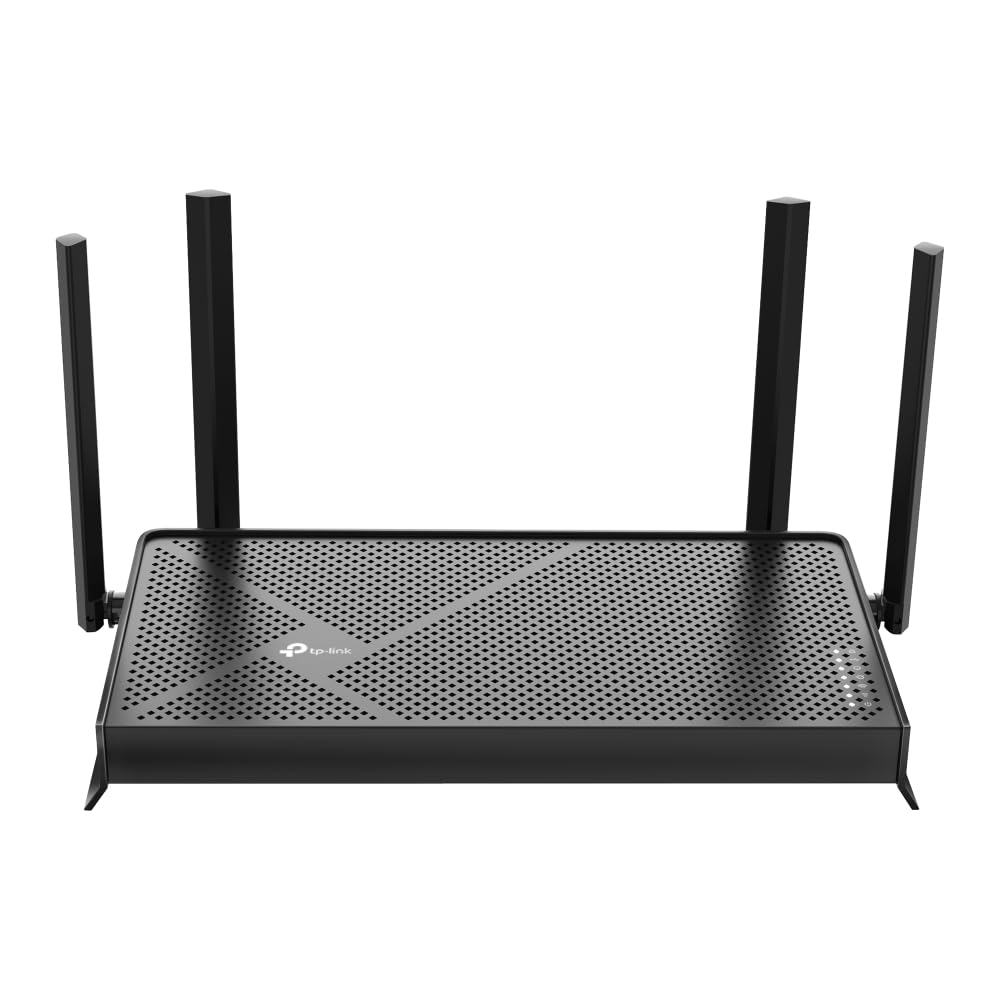
1,000+ ratings
Read Amazon ReviewsTP-Link Archer BE230
The BE600 better matches a buyer who wants tri-band Wi-Fi 7 and multi-gigabit wired connections for several devices. Consider the BE230 if dual-band Wi-Fi 7 and EasyMesh are a closer fit for your network plans.
- The Archer BE230 is a dual-band Wi-Fi 7 router with up to 2,882 Mbps on 5 GHz, one 2.5 Gbps WAN/LAN port, one 2.5 Gbps LAN port, three 1 Gbps LAN ports, and EasyMesh support.
- The Archer BE600 offers three wireless bands, including 6 GHz, and a higher-capacity set of wired ports.
Is Archer BE600 Worth It?
The TP-Link Archer BE600 is worth considering for a larger, device-heavy home that can use Wi-Fi 7, 6 GHz, and multi-gigabit Ethernet.
Its feature mix is especially compelling when you already have compatible clients, a multi-gig internet connection, or several fast wired devices to connect.
For a household with basic broadband and mostly older devices, the added capacity may not justify choosing this class of router.
Check your network’s current bottlenecks and your home layout first; the BE600 is most persuasive when its newer wireless and wired capabilities solve a real need.
Your review at a glance
600+ ratings
Read Amazon ReviewsTP-Link Archer BE600
A fit for larger, device-heavy homes seeking tri-band Wi-Fi 7, 6 GHz access, and several multi-gig wired connections.
- Tri-band Wi-Fi 7 with seven streams and maximum listed rates of up to 5,765 Mbps on 6 GHz, 2,882 Mbps on 5 GHz, and 1,032 Mbps on 2.4 GHz.
- Wi-Fi 7 features include Multi-Link Operation, Multi-RUs, 4K-QAM, and channel widths up to 320 MHz.
- Six antennas and beamforming support a stated coverage area of up to 2,600 square feet and up to 120 devices.
- Wired ports include one 10 Gbps WAN/LAN port, one 2.5 Gbps WAN/LAN port, and three 2.5 Gbps LAN ports.