The Silkland 54Gbps 16K DisplayPort Cable 2.1 review is most relevant if you need a longer desktop connection with support for demanding resolutions and refresh rates.
Its 10-foot length and braided exterior suit flexible monitor placement, while the actual modes you can use depend on both connected devices.
Silkland S1303 Cable Review Summary
The quick verdict
7,000+ ratings
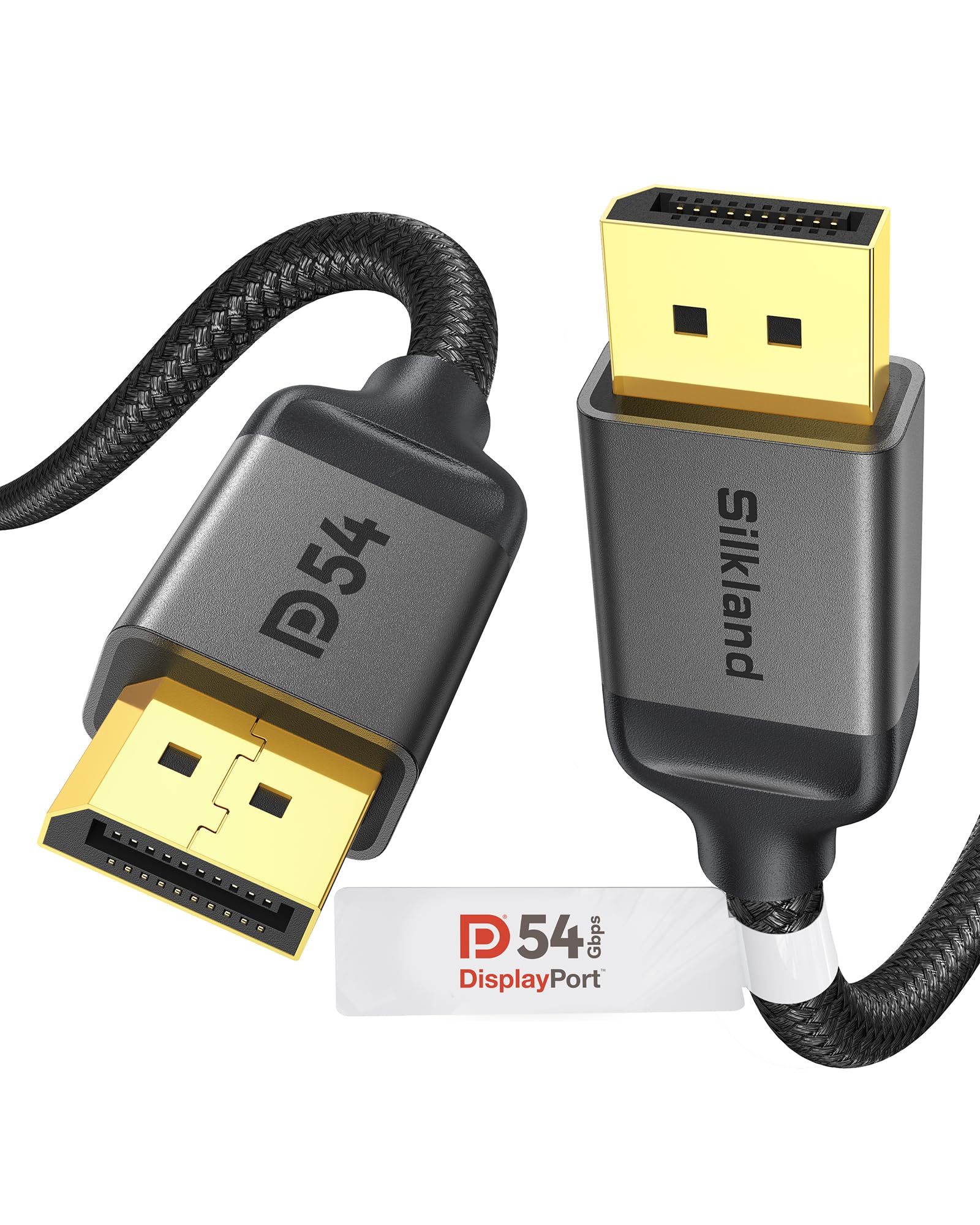
Read Amazon ReviewsSilkland S1303 DisplayPort Cable
A 10-foot DisplayPort cable for gamers and desktop users who want high refresh-rate support, a braided build, and flexible monitor placement.
- DisplayPort 2.1/2.0 cable with listed 54Gbps bandwidth and backward compatibility with DisplayPort 1.4, 1.3, 1.2, 1.2a, 1.1, and 1.0.
- Supports up to 16K (15360 × 8640) at 60Hz with DSC, 8K at 120Hz, 4K at up to 240Hz, and 2K at 360Hz.
- Supports Dynamic HDR, HDCP 2.2, DSC 1.2a, 3D stereo imaging, and multi-stream transmission.
- Audio pass-through supports uncompressed 7.1, 5.1, and 2.0 channel formats.

Pros
- Long enough to give many desktop users more freedom to route the cable between a PC and monitor.
- Broad stated resolution and refresh-rate support, including high-refresh 4K and 8K modes.
Consider before buying
- The cable's maximum modes depend on the capabilities of both the graphics card and display, so buyers should verify the exact resolution, refresh rate, and DSC support they need.
- A 10-foot cable can leave extra slack in compact setups where the computer and monitor sit close together.
Read the full review summary
The Silkland S1303 is a male-to-male DisplayPort cable with a listed 54Gbps bandwidth, 10-foot reach, and support for DisplayPort 2.1 and earlier versions.
Its feature set focuses on high-resolution gaming and display use, including up to 16K at 60Hz with DSC, 8K at 120Hz, and 4K at up to 240Hz, alongside multi-stream transmission and audio pass-through.
It is a practical fit for a gaming PC or desktop that needs more cable reach than a short desk connection provides.
The braided exterior, triple shielding, and latch-free connector design may also appeal if the cable will be routed through a tight space or moved during setup.
Check your graphics card and display specifications before buying: a cable's supported modes do not mean every combination is available with every device.
The buying factors
Silkland S1303 Cable Scorecard
Editorial scores reflect listed features and buyer fit; they are not laboratory measurements or customer ratings.
Resolution and refresh-rate range
The listed modes cover high-refresh 4K and 8K, plus up to 16K at 60Hz with DSC, giving buyers a broad set of targets to check against their setup.
Connection reach
A 10-foot length offers useful routing flexibility for many desktop arrangements, though it may be more cable than a close monitor placement needs.
Gaming and display features
Support for Dynamic HDR, DSC, MST, and adaptive-sync technologies makes it relevant to feature-rich display setups, subject to device compatibility.
Build and handling
The nylon braid, tinned copper conductors, triple shielding, and no-buckle plug design address durability and cable handling considerations.
Compatibility clarity
The cable supports DisplayPort connections and earlier versions, but buyers still need to confirm the ports and desired display mode on both devices.
Overall buyer fit
A strong feature match for users seeking a longer, high-bandwidth DisplayPort connection, with less appeal for those who need only a short basic cable.
Key Features and Specifications of Silkland S1303 Cable
- DisplayPort 2.1/2.0 cable with listed 54Gbps bandwidth and backward compatibility with DisplayPort 1.4, 1.3, 1.2, 1.2a, 1.1, and 1.0.
- Supports up to 16K (15360 × 8640) at 60Hz with DSC, 8K at 120Hz, 4K at up to 240Hz, and 2K at 360Hz.
- Supports Dynamic HDR, HDCP 2.2, DSC 1.2a, 3D stereo imaging, and multi-stream transmission.
- Audio pass-through supports uncompressed 7.1, 5.1, and 2.0 channel formats.
- Male-to-male DisplayPort connectors with a latch-free, grooved plug design for easier handling in confined spaces.
- 28AWG tinned copper conductors, triple shielding, 24K gold-plated connectors, and a double nylon-braided exterior.
- 10 feet long and listed as compatible with DisplayPort-equipped desktops, laptops, monitors, and graphics cards.
Pros and Cons of Silkland S1303 Cable
Pros
- Long enough to give many desktop users more freedom to route the cable between a PC and monitor.
- Broad stated resolution and refresh-rate support, including high-refresh 4K and 8K modes.
- Braided construction and triple shielding provide a more substantial build than a plain PVC exterior.
- The latch-free plug avoids a release mechanism, and the groove is designed to make unplugging easier in tight spaces.
- Backward compatibility makes it useful with a range of DisplayPort generations.
Consider before buying
- The cable's maximum modes depend on the capabilities of both the graphics card and display, so buyers should verify the exact resolution, refresh rate, and DSC support they need.
- A 10-foot cable can leave extra slack in compact setups where the computer and monitor sit close together.
- It is DisplayPort-to-DisplayPort, so it is not the right choice if either device lacks a matching DisplayPort connection.
Who Should Buy Silkland S1303 Cable?
Good fit
Consider the Silkland S1303 if your desktop or gaming setup needs a 10-foot DisplayPort connection and you want room to route it behind furniture, along a desk, or around a monitor stand.
Its listed support for high refresh-rate modes and DSC makes it a reasonable match for users choosing a cable around a capable gaming display.
The construction details may suit a setup where the cable is handled during installation or routed through a constrained area.
The grooved, latch-free connector is intended to simplify unplugging, while the braided exterior and triple shielding are design features aimed at a durable, interference-resistant connection.
Before ordering, compare the cable's modes with the specifications for both ends of your setup.
Confirm that the PC and monitor have DisplayPort ports and support the resolution, refresh rate, and relevant features you plan to use; this cable cannot add capabilities the devices do not provide.
Who should skip it
Choose another connection type or cable length if your devices do not have DisplayPort ports or the 10-foot reach does not suit your layout.
If you are buying specifically for a maximum refresh rate or resolution, first confirm that your graphics card and monitor support that exact mode and any required DSC functionality.
What the Silkland S1303 Cable Means for a Gaming Setup
High refresh rates depend on the whole setup
The listed support for up to 4K at 240Hz and 8K at 120Hz gives buyers useful reference points, but the cable alone does not determine the display mode.
Check the output limits of the graphics card and the input capabilities of the monitor, including any mode-specific requirements, before treating a headline maximum as your expected result.
DSC expands the listed top-end modes
The 16K at 60Hz figure is specified with Display Stream Compression, while the 4K and 8K ranges also include modes that may rely on DSC.
That makes the feature relevant when comparing a cable with a high-end display setup. Verify that the source and display support the combination of resolution, refresh rate, and compression you intend to use.
Ten feet changes cable routing options
At 10 feet, the S1303 can accommodate more distance between a desktop and monitor than a short desk cable.
This can help when the tower sits under or beside a desk, but it also means you should plan how to route the extra length and keep it from becoming an obstacle around the workspace.
Build details matter during installation
Triple shielding, tinned copper conductors, gold-plated connectors, and a nylon braid describe how the cable is constructed.
The no-buckle plug and side groove also shape day-to-day handling: they may be convenient when reaching behind a display, though buyers who prefer a locking connector should consider how they want the plug to stay seated in their particular setup.
Alternatives to Silkland S1303 Cable
Only one supplied alternative offers a meaningfully different fit: a much shorter cable with higher listed bandwidth.
Computer DisplayPort Cables alternative
2,000+ ratings
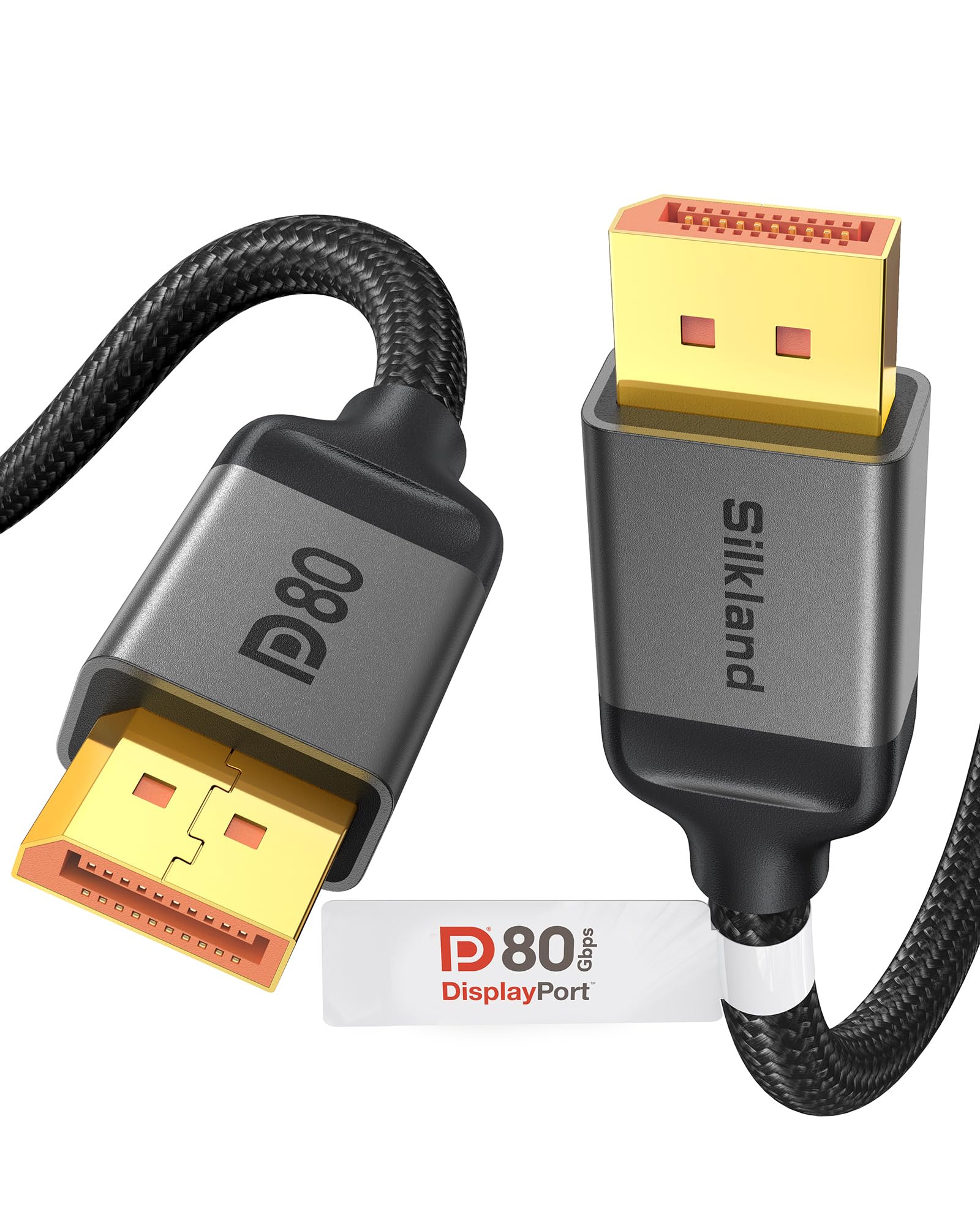
Read Amazon ReviewsSilkland DP80 80Gbps DisplayPort Cable
Consider the DP80 if your PC and monitor are close together and your priority is its higher listed bandwidth and support for higher refresh-rate modes.
Choose the S1303 if you need a much longer reach; the DP80's short length makes it less suitable for routing across a room or around a larger desk.
- The Silkland DP80 is a 1.6-foot VESA-certified cable with listed 80Gbps bandwidth.
- Its uncompressed modes include 4K at 240Hz, 8K at 60Hz, and 2K at 540Hz; with DSC, it supports up to 16K at 60Hz, 8K at 240Hz, and 4K at 540Hz.
- The description notes that both devices should ideally support DisplayPort 2.1 UHBR20.
- The S1303 is a 10-foot cable with listed 54Gbps bandwidth and support for up to 4K at 240Hz.
Is Silkland S1303 Cable Worth It?
The Silkland S1303 is worth considering for a desktop or gaming setup that needs a 10-foot DisplayPort cable with high listed resolution and refresh-rate support.
Its braided construction, shielding, and easy-release plug design add practical appeal for a routed or frequently handled connection.
Buy it after confirming the ports and target display mode on both devices.
If your setup is close together and calls for higher listed bandwidth, the shorter DP80 may fit better; if you need the S1303's reach, its 54Gbps specification and feature set make it a well-equipped option.
Your review at a glance
7,000+ ratings
Read Amazon ReviewsSilkland S1303 DisplayPort Cable
A 10-foot DisplayPort cable for gamers and desktop users who want high refresh-rate support, a braided build, and flexible monitor placement.
- DisplayPort 2.1/2.0 cable with listed 54Gbps bandwidth and backward compatibility with DisplayPort 1.4, 1.3, 1.2, 1.2a, 1.1, and 1.0.
- Supports up to 16K (15360 × 8640) at 60Hz with DSC, 8K at 120Hz, 4K at up to 240Hz, and 2K at 360Hz.
- Supports Dynamic HDR, HDCP 2.2, DSC 1.2a, 3D stereo imaging, and multi-stream transmission.
- Audio pass-through supports uncompressed 7.1, 5.1, and 2.0 channel formats.