The Liene M100 is a compact, app-controlled printer for people who want to turn phone photos into full-size 4×6 prints at home.
This liene m100 photo printer review looks at its dye-sublimation printing, standalone Wi-Fi hotspot, editing tools, and the practical tradeoffs of a dedicated photo printer.
Liene M100 Review Summary
The quick verdict
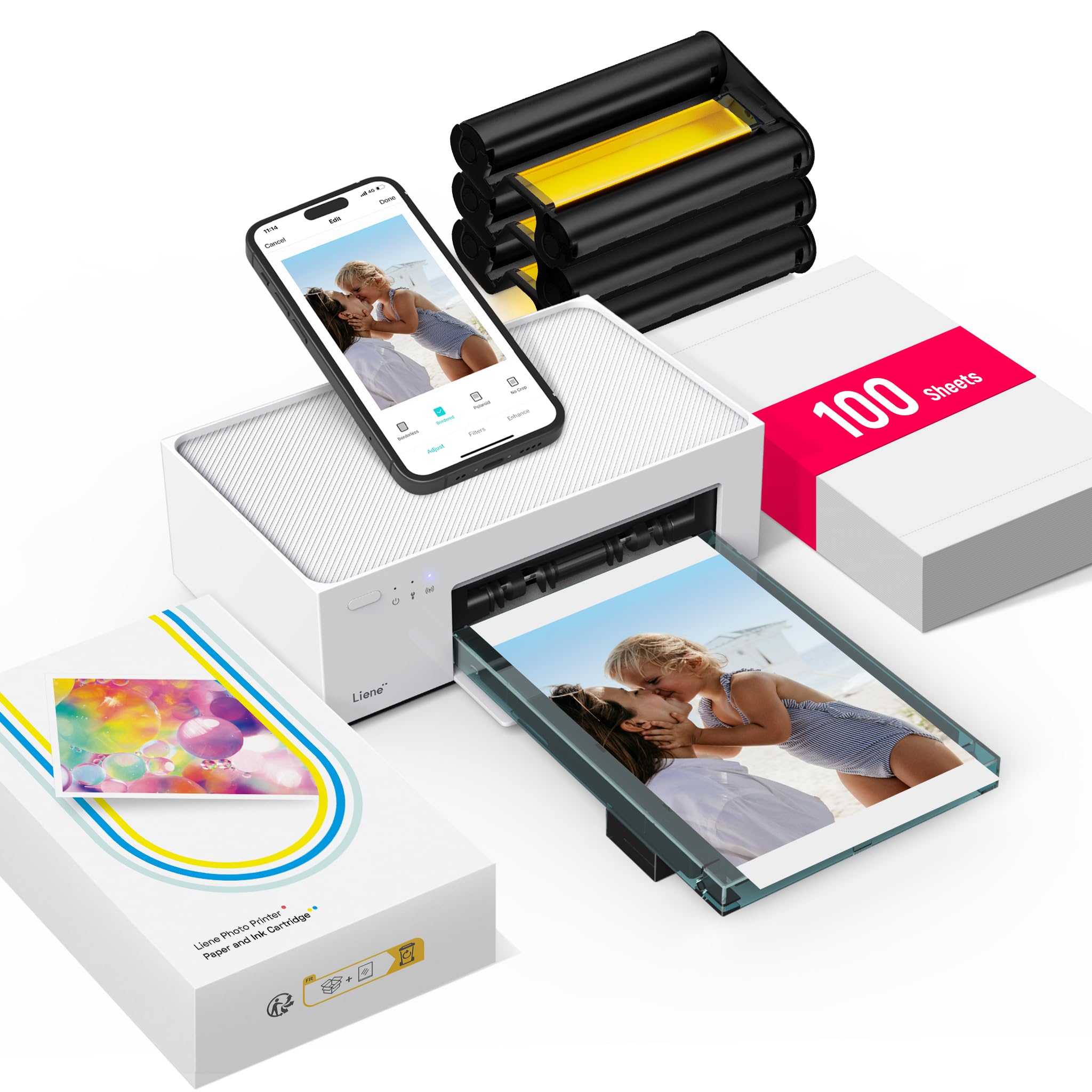
4,000+ ratings
Read Amazon ReviewsLiene M100
A fit for households and phone photographers who want app-edited 4×6 prints, a built-in Wi-Fi hotspot, and a generous starter paper-and-cartridge bundle.
- Thermal dye-sublimation printing produces color photos on glossy 4×6-inch paper.
- The print surface is laminated and described as resistant to water, scratches, fingerprints, and fading.
- A built-in Wi-Fi hotspot allows phones and other devices to connect directly without another network.
- The printer supports up to five simultaneous connections and is compatible with iOS, Android, Windows, and Mac devices.

Pros
- A substantial included supply bundle makes it possible to start with 100 sheets and three cartridges.
- Direct hotspot connectivity is useful when a home network is inconvenient or unavailable.
Consider before buying
- The 4×6-inch maximum media size limits it to standard photo prints rather than smaller or larger formats.
- It is print-only, so buyers needing a general document printer or scanning functions should look elsewhere.
Read the full review summary
The M100 is built around one clear job: printing color photos from phones, tablets, or computers onto glossy 4×6 paper.
Its dye-sublimation process lays color into the paper and finishes the surface with a protective laminate, while the built-in hotspot lets compatible devices connect directly without relying on a home network.
The app adds simple options such as filters, borders, brightness, and contrast adjustments.
It is most compelling for people who regularly print snapshots, family pictures, or images for albums and frames, and who value a bundle that includes 100 sheets and three color cartridges.
The printer is also described as supporting up to five simultaneous device connections. It remains a single-size, print-only machine, so its appeal depends on wanting physical 4×6 photos rather than a general-purpose home printer.
The buying factors
Liene M100 Scorecard
Editorial scores reflect listed features and buyer fit; they are not laboratory measurements or customer ratings.
4×6 photo focus
A dedicated maximum media size and glossy photo paper make its intended use straightforward, though it does not cover other print sizes.
Phone connectivity
A built-in hotspot supports direct connections, and the stated compatibility includes iOS and Android as well as computers.
Editing flexibility
The app offers filters, borders, brightness, and contrast adjustments for basic preparation before printing.
Starter supplies
The package includes 100 sheets of photo paper and three color cartridges, giving buyers supplies to begin printing.
Print finish
Dye-sublimation prints receive a laminated surface described as resistant to water, scratches, fingerprints, and fading.
Versatility
This is a color photo printer with a 4×6-inch maximum media size, not a broad document or scanning device.
Key Features and Specifications of Liene M100
- Thermal dye-sublimation printing produces color photos on glossy 4×6-inch paper.
- The print surface is laminated and described as resistant to water, scratches, fingerprints, and fading.
- A built-in Wi-Fi hotspot allows phones and other devices to connect directly without another network.
- The printer supports up to five simultaneous connections and is compatible with iOS, Android, Windows, and Mac devices.
- The Liene app includes filters, square borders, brightness and contrast adjustments, and print-status checks.
- The package includes 100 sheets of photo paper, three color cartridges, and a sealed cassette intended to keep dust away from paper.
Pros and Cons of Liene M100
Pros
- A substantial included supply bundle makes it possible to start with 100 sheets and three cartridges.
- Direct hotspot connectivity is useful when a home network is inconvenient or unavailable.
- App tools allow basic edits and border options before a photo is printed.
- The laminated dye-sublimation finish is designed to help prints resist common handling marks and moisture.
Consider before buying
- The 4×6-inch maximum media size limits it to standard photo prints rather than smaller or larger formats.
- It is print-only, so buyers needing a general document printer or scanning functions should look elsewhere.
- The cartridges are proprietary, so ongoing supply purchases are tied to compatible Liene cartridges.
- If smudges appear during use, the print head needs prompt cleaning, adding a small maintenance step.
Who Should Buy Liene M100?
Good fit
Consider the M100 if you often take pictures on a phone and want a direct route from the image library to a physical 4×6 print.
The hotspot-based connection can simplify printing away from a router, while support for several simultaneous device connections may suit a household or small group sharing the printer.
The bundled paper and cartridges are a practical advantage for someone setting up a photo-printing routine. The app’s filters and basic adjustments can help prepare casual prints without moving images through a separate editing workflow.
Keep in mind that the app is described for phone printing; if your main source is a computer, check the setup steps and compatibility for your specific device before buying.
Think of this as a focused photo station rather than a compact replacement for an everyday printer.
If 4×6 glossy prints are the format you expect to use, the M100’s workflow and supplied consumables align well with that purpose.
Who should skip it
Skip it if you need to print documents regularly, scan originals, or use paper sizes beyond 4×6 inches. The stated design is print-only and centered on glossy photo paper.
It may not suit buyers who want to avoid proprietary consumables. Before committing, check the availability and cost of compatible Liene cartridges and photo paper for your expected print volume.
How the Liene M100 Fits a Phone Photo Workflow
A direct connection can simplify casual printing
The built-in hotspot gives the M100 a connection path that does not depend on joining a home Wi-Fi network.
That can be useful for quick prints from a phone or for a shared setup where several devices need access.
Since up to five connections are supported, the printer can accommodate a small group, though each person still needs a compatible device and the app-based workflow.
The app covers light edits before printing
Borders, filters, brightness, and contrast controls are useful for adjusting a picture’s presentation before committing it to paper. These are practical everyday tools for snapshots and keepsakes.
Buyers who make detailed edits or need advanced color control should consider whether their preferred editing app can prepare the image first.
The finish and supplies shape ownership
Dye-sublimation printing applies color to the photo paper and adds a laminated finish. That design is intended to help prints withstand water, scratches, fingerprints, and fading, which matters for pictures handled in albums or displayed around the home.
The included 100 sheets and three cartridges reduce the need to source supplies immediately, but long-term use depends on replenishing compatible consumables.
A dedicated format keeps the choice simple
The M100’s 4×6-inch maximum media size is a good match for familiar photo prints, including pictures intended for frames and albums.
The same focus narrows its role: it does not serve as a multipurpose document printer, and the data identifies it as print-only.
Buyers should decide whether a reliable stream of standard-size photo prints is enough to justify a separate device.
Alternatives to Liene M100
Battery-focused alternative

500+ ratings
Read Amazon ReviewsLiene M200 Battery Edition
Choose the M200 if cordless printing is a priority and its stated battery capacity fits your outings. The M100 is the more suitable choice when the included 100 sheets and three cartridges are more useful than battery-powered operation.
- The M200 Battery Edition is described as having a rechargeable battery for printing without a power cord, with up to 40 prints per charge.
- It also uses a built-in Wi-Fi hotspot, supports up to five simultaneous users, and prints 4×6 photos.
- The M100 connects to devices through its built-in Wi-Fi hotspot and is designed for 4×6-inch prints.
Desktop Photo Printers alternative

19,000+ ratings
Read Amazon ReviewsKODAK Dock Plus
The KODAK is a better fit if you want an integrated phone dock and Bluetooth pairing for a home printing station.
The Liene M100 offers a larger included paper bundle and hotspot-based direct connections, which may suit buyers sharing access across several devices.
- The KODAK Dock Plus is a 4×6 dye-sublimation printer that connects to compatible iOS and Android devices over Bluetooth.
- Its integrated phone dock can hold and charge a phone during printing, and its supplies bundle includes 50 sheets.
- The Liene M100 uses a built-in Wi-Fi hotspot, supports up to five connections, and includes 100 sheets with three cartridges.
Is Liene M100 Worth It?
The Liene M100 is worth considering if your goal is straightforward 4×6 phone-photo printing.
Its direct hotspot, basic app editing, laminated dye-sublimation finish, and 100-sheet, three-cartridge starter package make a coherent setup for snapshots, family albums, and framed pictures.
Buy it when that single photo format and the proprietary supply model fit your routine. If you need document printing, scanning, broader paper-size support, or cordless use, choose a printer designed around those needs instead.
Your review at a glance
4,000+ ratings
Read Amazon ReviewsLiene M100
A fit for households and phone photographers who want app-edited 4×6 prints, a built-in Wi-Fi hotspot, and a generous starter paper-and-cartridge bundle.
- Thermal dye-sublimation printing produces color photos on glossy 4×6-inch paper.
- The print surface is laminated and described as resistant to water, scratches, fingerprints, and fading.
- A built-in Wi-Fi hotspot allows phones and other devices to connect directly without another network.
- The printer supports up to five simultaneous connections and is compatible with iOS, Android, Windows, and Mac devices.