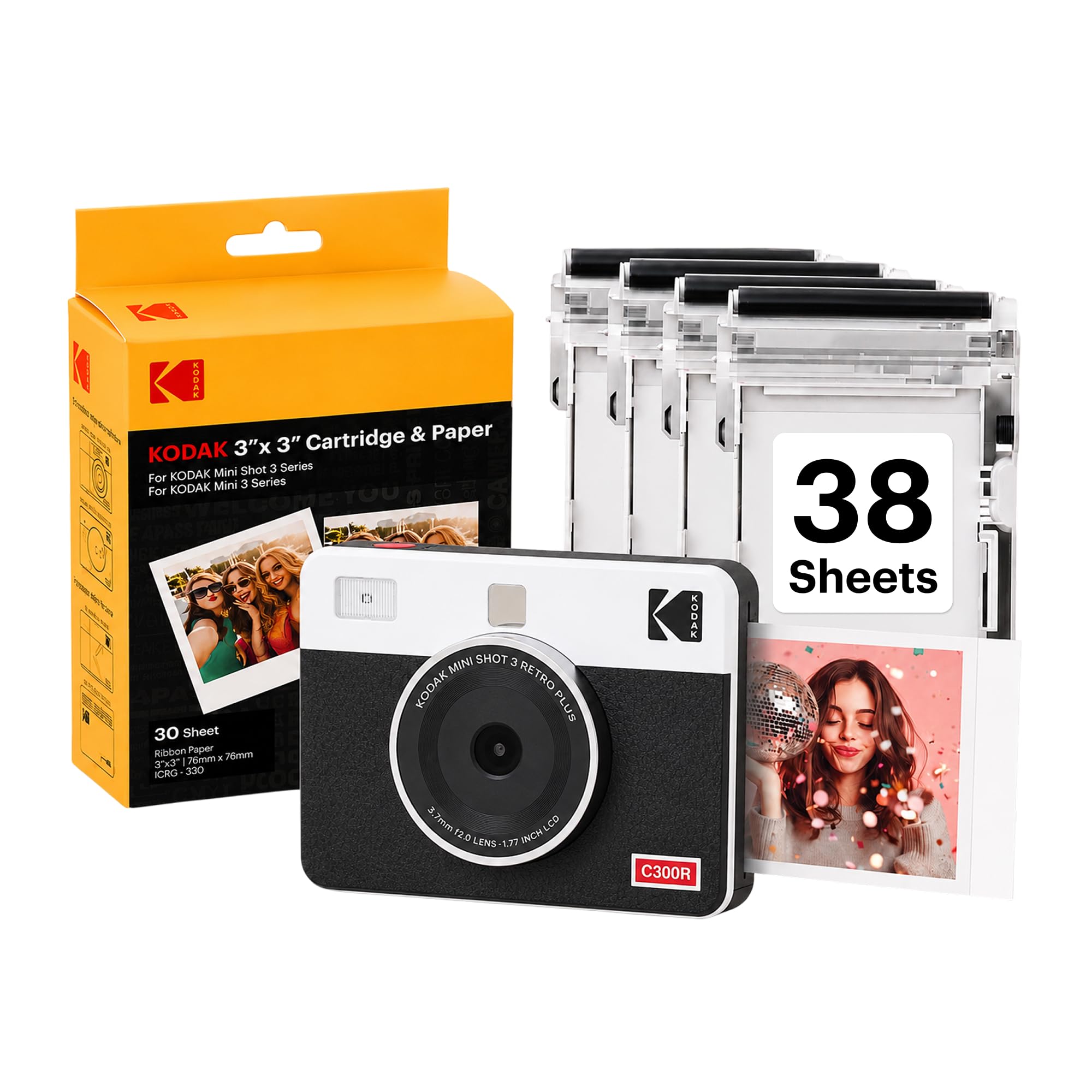
The KODAK Mini Shot 3 Retro pairs a digital camera with a portable photo printer, so you can capture and print square pictures or send smartphone images through its app.
This kodak mini photo printer review looks at its print format, creative flexibility, and the tradeoffs to weigh before choosing it.
Mini Shot 3 Retro Review Summary
The quick verdict
6,000+ ratings
Read Amazon ReviewsKODAK Mini Shot 3 Retro
A good fit for casual photographers who want a compact camera, phone printing, and 3×3-inch square photos in one device.
- 2-in-1 design captures digital photos and prints them from the camera.
- Prints 3×3-inch square photographs using 4PASS dye-sublimation technology with three color layers and a clear protective lamination layer.
- Prints can take approximately 55 seconds, according to the product description.
- Bluetooth connection pairs with compatible iOS and Android devices through the KODAK Photo Printer app for editing, cropping, and customization.

Pros
- Combines a camera and printer in one portable device.
- Prints directly from compatible smartphones as well as from the camera.
Consider before buying
- The 3×3-inch square format may feel limiting if you want larger prints or standard rectangular photo dimensions.
- Printing depends on having compatible paper and cartridges available, so include ongoing supplies in your ownership plans.
Read the full review summary
The Mini Shot 3 Retro is built for buyers who want a tangible photo soon after taking it, without carrying a separate camera and printer.
It prints 3×3-inch square pictures from the camera or a compatible iOS or Android device, and the included paper and cartridges let you start with a supply on hand.
Its strongest appeal is the combination of camera, phone printing, and app-based editing in a compact device.
The square format works naturally for scrapbooks, albums, party prints, and small displays; buyers who prioritize larger prints or a more advanced camera should consider whether those strengths match their routine.
The buying factors
Mini Shot 3 Retro Scorecard
Editorial scores reflect listed features and buyer fit; they are not laboratory measurements or customer ratings.
Camera and printer convenience
Combines image capture and printing in one portable device, while also accepting smartphone images.
Print presentation
The 3×3-inch square output is suited to albums and creative projects, with a laminated finish.
Phone editing options
Bluetooth and the KODAK Photo Printer app support editing, cropping, and customization before printing.
Ease for casual use
Straightforward controls and a direct camera-to-print workflow suit everyday snapshots.
Creative flexibility
Automatic exposure and scene modes offer a simple starting point, while phone editing adds another way to shape prints.
Travel practicality
The handheld format and included strap are convenient for outings, though buyers should account for paper and cartridges.
Key Features and Specifications of Mini Shot 3 Retro
- 2-in-1 design captures digital photos and prints them from the camera.
- Prints 3×3-inch square photographs using 4PASS dye-sublimation technology with three color layers and a clear protective lamination layer.
- Prints can take approximately 55 seconds, according to the product description.
- Bluetooth connection pairs with compatible iOS and Android devices through the KODAK Photo Printer app for editing, cropping, and customization.
- Camera specifications include a 10 MP effective still resolution, automatic exposure, and auto and scene shooting modes.
- The listed bundle includes the camera, four cartridges, 38 sheets of photo paper, a USB Type-C cable, a strap, and a user guide.
Pros and Cons of Mini Shot 3 Retro
Pros
- Combines a camera and printer in one portable device.
- Prints directly from compatible smartphones as well as from the camera.
- Square prints suit scrapbooks, albums, and small displays.
- The included paper and cartridges provide supplies for getting started.
Consider before buying
- The 3×3-inch square format may feel limiting if you want larger prints or standard rectangular photo dimensions.
- Printing depends on having compatible paper and cartridges available, so include ongoing supplies in your ownership plans.
- The phone workflow requires pairing with a compatible device and using the KODAK Photo Printer app.
Who Should Buy Mini Shot 3 Retro?
Good fit
Consider the Mini Shot 3 Retro if you like sharing physical snapshots at parties, on trips, or during creative projects.
Its all-in-one design keeps the camera and printer together, while smartphone printing lets you choose and edit images you already have on your phone.
It is particularly appealing for people who want small square prints for albums, scrapbooks, or casual displays.
The included starter paper and cartridges also mean you can begin using the print function without first assembling a separate supply kit.
Before buying, make sure the 3×3-inch output is the format you want and check that replacement paper and cartridges are easy for you to obtain.
If you expect to print frequently, those supplies will be part of the ongoing cost and planning.
Who should skip it
Look elsewhere if you need a camera primarily for advanced photography controls or a printer for larger, rectangular photos. The Mini Shot 3 Retro is centered on convenient casual shooting and compact square prints.
It may also be a poor fit if you want to print from a phone without using a companion app, or if carrying refill supplies would be inconvenient for your plans.
How the Mini Shot 3 Retro fits a casual photo routine
One device for taking and printing photos
The camera-printer combination reduces the amount of gear needed for spontaneous prints. You can take a picture on the device and print it, or use Bluetooth to send a smartphone photo through the app.
That flexibility is useful when the best image is already in your phone library.
A square format with a particular purpose
Three-inch square prints are a natural match for scrapbook pages, compact albums, and photo-booth style sharing.
The format gives prints a consistent look, but it also defines the device’s niche: decide whether square keepsakes suit your intended display before making it your main photo printer.
Print process and finish
The 4PASS process builds each photo in three color layers and adds a clear protective lamination layer. The description lists an approximate 55-second print time and says the finish is designed to resist fingerprints, water, and fading.
These are useful design aims for handled keepsakes, though actual results can depend on the image and how prints are stored.
A simple camera for everyday moments
A 10 MP still resolution, automatic exposure, and auto and scene modes point toward an approachable snapshot camera rather than a deep manual-control setup.
App editing adds a second stage for cropping and customizing phone images, making the product more versatile as a printer than a camera alone.
Alternatives to Mini Shot 3 Retro
Sticker-print alternative
1,000+ ratings
Read Amazon ReviewsKodak Step Touch
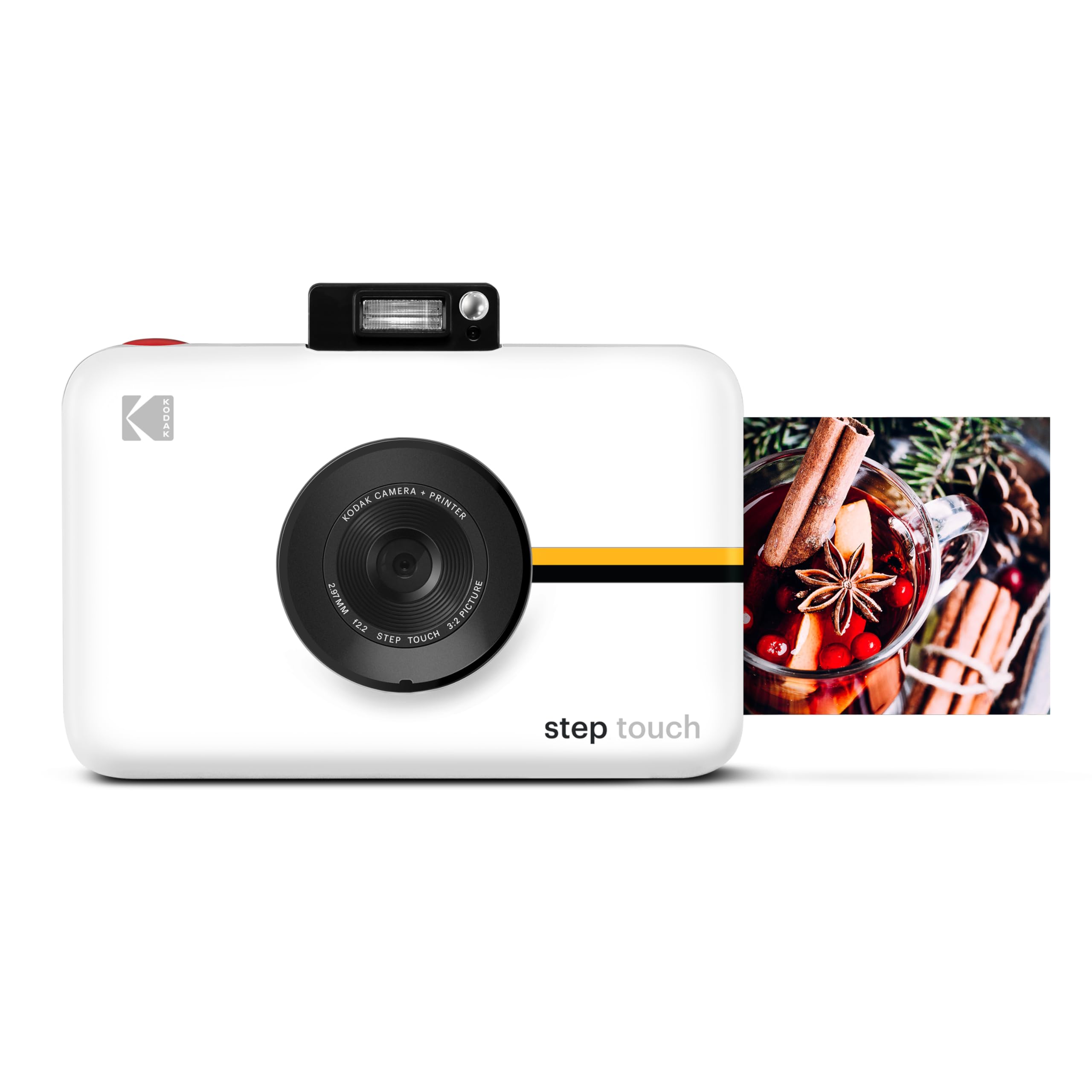
Choose the Mini Shot 3 Retro if square prints and its included starter supplies suit your plans. Consider the Step Touch if you want a touchscreen, optical zoom, video recording, and smaller sticky-back prints in the camera-printer device.
- The Step Touch combines a 13 MP camera, 3.5-inch touchscreen, 10× optical zoom, 1080p video, and a ZINK printer for 2×3-inch sticky-back prints.
- Its description also lists Bluetooth and onboard editing.
- The Mini Shot 3 Retro produces 3×3-inch square dye-sublimation prints and includes four cartridges and 38 sheets of paper.
Sticker-print alternative
500+ ratings
Read Amazon ReviewsKodak Smile Instant Print Digital Camera
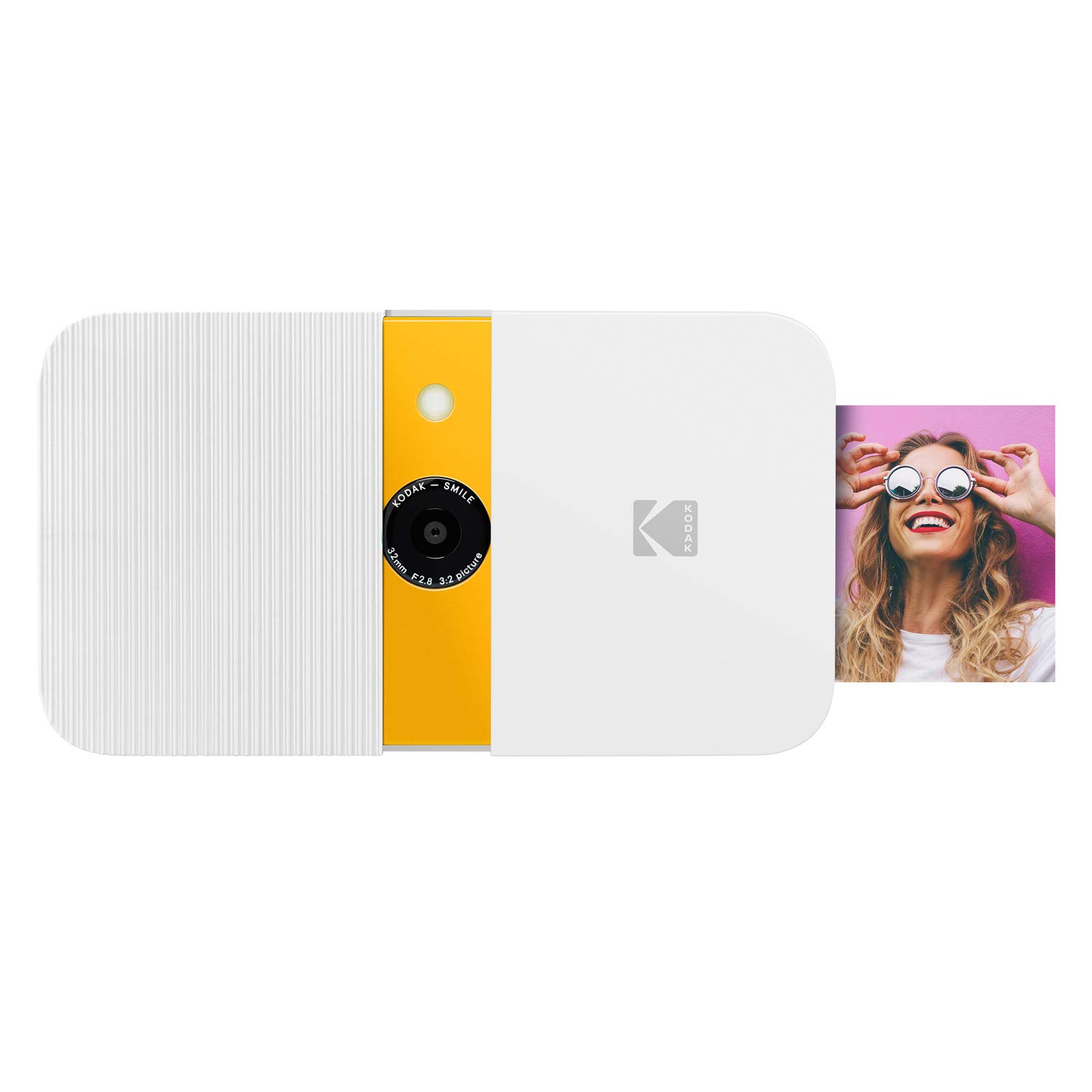
The Mini Shot 3 Retro is the more relevant choice if printing phone images and getting square photos matter most. The Smile may suit buyers who prefer smaller adhesive-backed prints and a slide-open design.
- The Kodak Smile uses ZINK technology for 2×3-inch sticky-back photos and has a slide-open protective case, LCD viewfinder, built-in editor, and auto flash.
- Its description lists up to 40 prints on a charge.
- The Mini Shot 3 Retro supports smartphone printing through Bluetooth and the KODAK Photo Printer app, with 3×3-inch square output.
Is Mini Shot 3 Retro Worth It?
The KODAK Mini Shot 3 Retro is worth considering if you want an approachable camera and printer in one portable device, especially for square keepsakes and occasional smartphone prints.
Its mix of direct shooting, app editing, and included starter supplies covers several casual photo needs.
Buy it if 3×3-inch prints fit your albums and projects, and plan for replacement paper and cartridges if you expect to print regularly.
If your priority is larger output or a different print shape, its square format is the key reason to look elsewhere.
Your review at a glance
6,000+ ratings
Read Amazon ReviewsKODAK Mini Shot 3 Retro
A good fit for casual photographers who want a compact camera, phone printing, and 3×3-inch square photos in one device.
- 2-in-1 design captures digital photos and prints them from the camera.
- Prints 3×3-inch square photographs using 4PASS dye-sublimation technology with three color layers and a clear protective lamination layer.
- Prints can take approximately 55 seconds, according to the product description.
- Bluetooth connection pairs with compatible iOS and Android devices through the KODAK Photo Printer app for editing, cropping, and customization.