This JLab JBuds Work review looks at a work headset built for long stretches between charges, with both wireless and wired connection options.
Its combination of over-ear Cloud Foam earcups, multipoint Bluetooth, and a rotating boom microphone suits desk work that moves between devices.
JBuds Work Review Summary
The quick verdict

1,000+ ratings
Read Amazon ReviewsJLab JBuds Work
A work headset for buyers who want long battery life, wired or wireless connections, and controls built into an over-ear design.
- Connects wirelessly by Bluetooth or through the included USB-C to 3.5mm cable.
- Bluetooth multipoint supports two connected devices simultaneously.
- Up to 60+ hours of worktime on one charge.
- The boom microphone rotates out of the way for listening and back down for calls.

Pros
- Wired and wireless connection choices support different desk setups.
- Multipoint can keep two devices connected at the same time.
Consider before buying
- The over-ear Cloud Foam format is a poor fit if you specifically want an open-ear headset that leaves your ears uncovered.
- If you need a headset for more than two devices at once, plan to switch connections; multipoint is for two simultaneous devices.
Read the full review summary
JBuds Work is worth considering if you want one headset to handle laptop calls, mobile connections, and listening without frequent charging.
Bluetooth multipoint connects two devices at once, while the included USB-C to 3.5mm cable gives you a wired option when that better fits your setup.
The over-ear format and boom microphone make it a natural fit for a home office or shared work routine where calls and listening alternate.
A mute button and red LED indicator add a visible way to manage calls, though buyers who prefer an open-ear fit may find the over-ear design a poor match.
The buying factors
JBuds Work Scorecard
Editorial scores reflect listed features and buyer fit; they are not laboratory measurements or customer ratings.
Connection flexibility
Bluetooth and the included USB-C to 3.5mm cable provide wireless and wired ways to connect, with multipoint for two devices at once.
Battery-life fit
The 60+ hour workweek on one charge is a strong fit for buyers who want to charge less often.
Call controls
A boom mic that moves for listening or calls, button controls, and a red mute indicator support routine call management.
Device switching
Multipoint lets the headset connect with two devices simultaneously, which suits users who move between a computer and phone.
Fit and wearing style
Over-ear Cloud Foam earcups are aimed at all-day work comfort, but this style may not suit buyers who prefer open-ear or on-ear headsets.
Listening controls
Headset buttons cover play, pause, calls, volume, mute, and track control, with Voice and Music EQ modes to choose from.
Key Features and Specifications of JBuds Work
- Connects wirelessly by Bluetooth or through the included USB-C to 3.5mm cable.
- Bluetooth multipoint supports two connected devices simultaneously.
- Up to 60+ hours of worktime on one charge.
- The boom microphone rotates out of the way for listening and back down for calls.
- On-headset buttons control playback, calls, volume, mute, and tracks; Voice and Music EQ modes are available.
- The earcup mute button is paired with a red LED on the boom microphone to indicate mute status.
Pros and Cons of JBuds Work
Pros
- Wired and wireless connection choices support different desk setups.
- Multipoint can keep two devices connected at the same time.
- 60+ hours of worktime on one charge can reduce charging interruptions.
- The boom rotates between call and listening positions, and the earcup has a mute button.
- Voice and Music EQ modes let you select a listening profile.
Consider before buying
- The over-ear Cloud Foam format is a poor fit if you specifically want an open-ear headset that leaves your ears uncovered.
- For frequent outdoor calls, check how the microphone performs in windy conditions before buying.
- If you need a headset for more than two devices at once, plan to switch connections; multipoint is for two simultaneous devices.
Who Should Buy JBuds Work?
Good fit
Buy JBuds Work if your desk routine alternates between a computer and a phone. Bluetooth multipoint supports two simultaneous connections, and the wired cable offers another way to connect when you want to plug in.
It also suits buyers who prioritize fewer charging breaks and like having call and listening controls on the headset. The 60+ hour workweek and rotatable boom mic address those needs directly.
Who should skip it
Skip it if an open-ear fit is essential or you need more than two devices connected simultaneously. Its over-ear earcups define the wearing style, and multipoint is limited to two simultaneous connections.
JBuds Work Review Analysis
Two connection paths for a changing desk setup
JBuds Work can connect by Bluetooth or the included USB-C to 3.5mm cable. Multipoint adds the option to keep two devices connected at once, useful when a work computer and personal phone share the same routine.
If you rely on more devices, consider whether reconnecting as needed suits your workflow.
Call handling and mute visibility
The boom mic rotates between a listening position and a call position. You can mute using the earcup button, while a red LED at the boom tip indicates mute status.
These physical controls give you direct access to common call actions without relying only on computer controls.
Battery and all-day wearing style
The headset is positioned for a long workweek between charges, with 60+ hours of worktime on one charge and Cloud Foam earcups intended for all-day comfort.
That combination is practical for a fixed desk routine, while buyers who dislike over-ear headsets should weigh the wearing style before choosing it.
Voice or music listening
Voice and Music EQ modes let you switch the headset's audio profile to match calls or listening sessions.
That choice adds flexibility for mixed work use, though buyers seeking a particular sound profile should decide whether those two presets cover their needs.
Alternatives to JBuds Work
Quick-charge alternative
100+ ratings
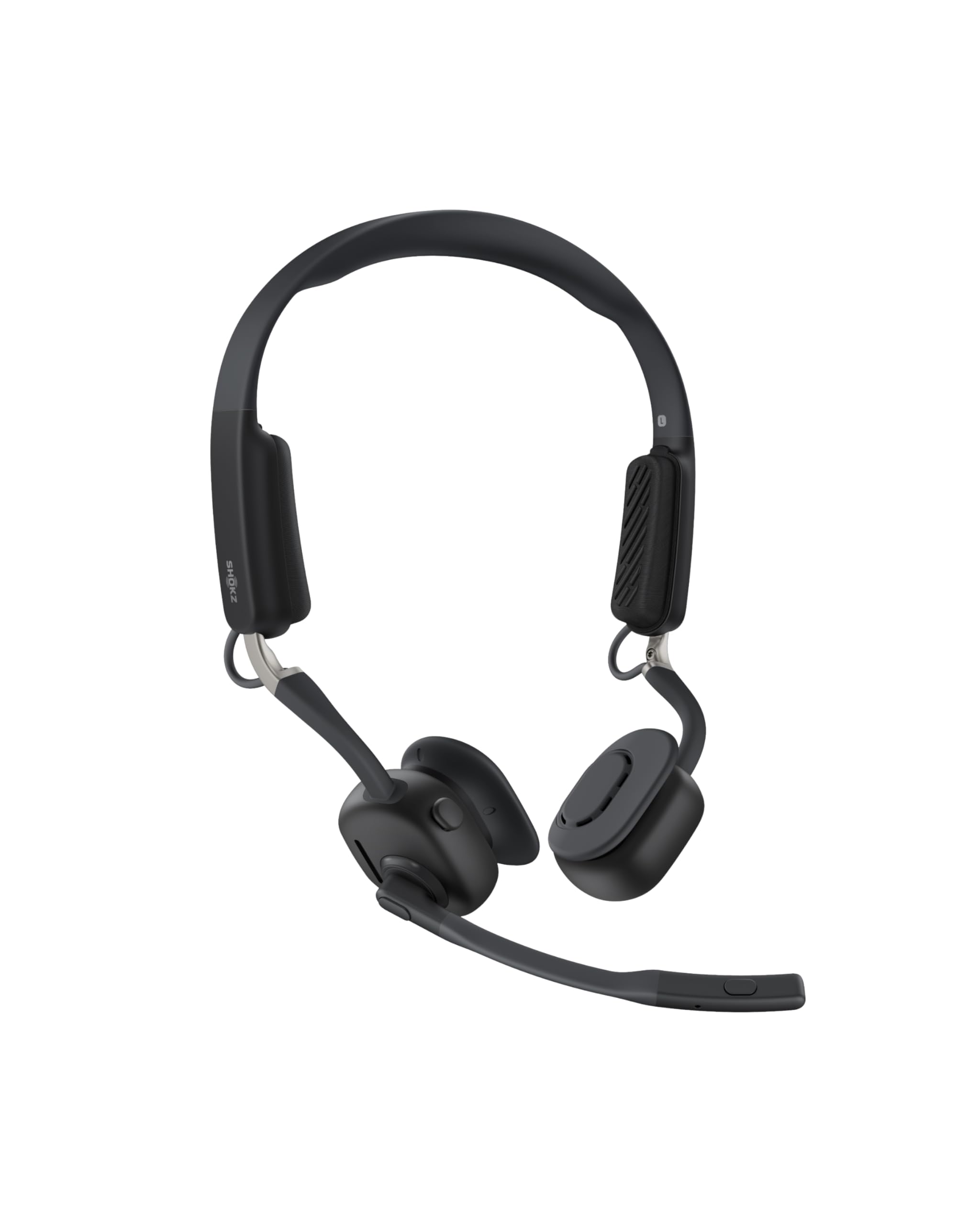
Read Amazon ReviewsSHOKZ OpenMeet C610
Choose OpenMeet if you want an open-ear fit and value staying connected to your surroundings; choose JBuds Work if you prefer over-ear Cloud Foam earcups and longer stated worktime between charges.
- OpenMeet has an open-ear design, a battery life of up to 15 hours, and a 5-minute fast charge that provides 2 hours of talk time.
- JBuds Work uses an over-ear Cloud Foam design and offers 60+ hours of worktime on one charge.
Battery-focused alternative

1,000+ ratings
Read Amazon ReviewsJLab Go Work Pop
Choose Go Work Pop if you want a lighter on-ear fit and a boom mic that tucks away; choose JBuds Work if you prefer its over-ear format and longer worktime between charges.
- Go Work Pop uses a lightweight on-ear design with a rotating boom mic and offers 50+ hours of wireless playtime.
- JBuds Work has over-ear Cloud Foam earcups and 60+ hours of worktime on one charge.
Is JBuds Work Worth It?
JBuds Work is worth considering if you want a versatile desk headset with wired and wireless connection options, two-device multipoint, and a long interval between charges.
The rotating boom, mute indicator, and Voice or Music EQ modes add practical controls for mixed call and listening use.
Pass if an open-ear fit matters more than over-ear earcups, or if you need multipoint for more than two devices.
For buyers whose work fits its connection options and controls, JBuds Work covers a useful combination of battery life, call handling, and listening features.
Your review at a glance
1,000+ ratings
Read Amazon ReviewsJLab JBuds Work
A work headset for buyers who want long battery life, wired or wireless connections, and controls built into an over-ear design.
- Connects wirelessly by Bluetooth or through the included USB-C to 3.5mm cable.
- Bluetooth multipoint supports two connected devices simultaneously.
- Up to 60+ hours of worktime on one charge.
- The boom microphone rotates out of the way for listening and back down for calls.